

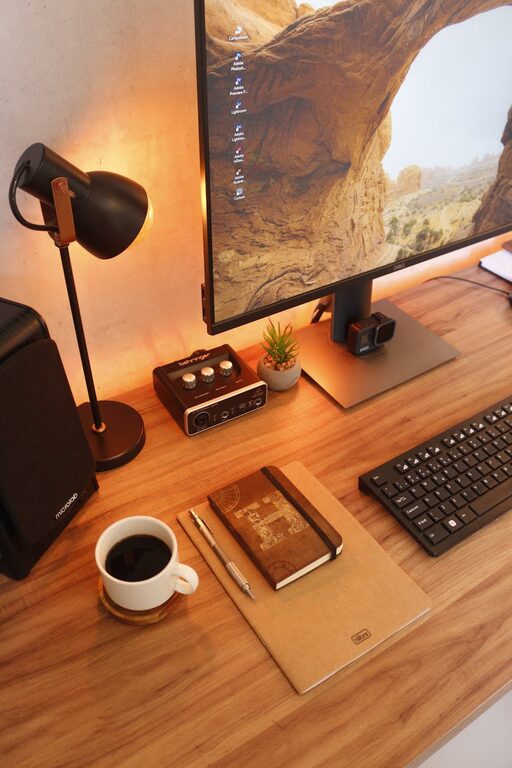
Creating a home office that is both cozy and functional can make a significant difference in your workday. Whether you work remotely full-time, occasionally from home, or simply need a dedicated spot to manage personal tasks, a well-designed space helps improve focus, efficiency, and overall comfort. Here are practical tips to help you set up a home office that you look forward to using.
Choose the Right Location
Selecting the right spot in your home is the first step. Ideally, pick a quiet area with minimal distractions. Consider natural light — a space near a window provides daylight that can help reduce eye strain and boost mood. Avoid spaces with heavy foot traffic or noise if possible.
If your home is small, a corner of a room, a nook, or even a section of the living room can work well with the right organization.
Invest in Comfortable and Ergonomic Furniture
Comfort is key for long hours spent at a desk. Invest in a good-quality chair with proper lumbar support and adjustable height. Your desk should be at a height that allows your elbows to rest comfortably at about a 90-degree angle when typing.
Ergonomic accessories like a keyboard tray, a mouse pad with wrist support, or a footrest can further enhance comfort and prevent strain. Remember, comfort leads to better focus and less fatigue.
Organize With Storage Solutions
Keeping your workspace tidy helps reduce stress and distractions. Incorporate storage solutions such as shelves, filing cabinets, or desk organizers to keep papers, stationery, and tech accessories in order.
Choose storage options that suit your style and space. For example, floating shelves save floor space, while small rolling carts can be moved as needed.
Personalize Your Space
A cozy home office feels personal and inviting. Add elements that make you happy, such as artwork, plants, or photos. Greenery is especially beneficial as it improves air quality and adds a refreshing touch.
However, avoid cluttering your space. Limit the number of decorative items so the area remains calm and distraction-free.
Optimize Lighting
Adequate lighting is essential. Combine natural light with layered artificial lighting, such as overhead lights, desk lamps, or floor lamps. Opt for bulbs that provide soft, warm light to create a welcoming atmosphere.
Position your desk to avoid glare on your computer screen. If possible, invest in adjustable lighting so you can tailor brightness depending on the time of day.
Use Technology Wisely
Ensure your technology setup supports productivity without overwhelming your space. Choose a desk size that fits your computer, monitor(s), and accessories comfortably.
Manage cables with clips or under-desk trays to keep your workspace neat. Consider noise-cancelling headphones if you need to block out household sounds.
Maintain Good Air Quality and Temperature
A fresh and comfortable environment supports concentration. If your room tends to get stuffy, open windows regularly or use a small air purifier.
Control room temperature with portable fans or heaters as needed. Being physically comfortable helps you stay focused longer.
Set Boundaries for Work and Rest
Lastly, establish clear boundaries to separate work time from relaxation. Having a specific, well-defined workspace—even if it’s just a desk in a shared room—can help signal your brain when it’s time to focus and when to unwind.
When your workday is over, tidy your desk to create a mental break and foster a healthy work-life balance.
—
By carefully considering the location, comfort, organization, and ambiance of your home office, you can create a space that supports your productivity and well-being. With these tips, making your home office both cozy and functional is easier than you think!