

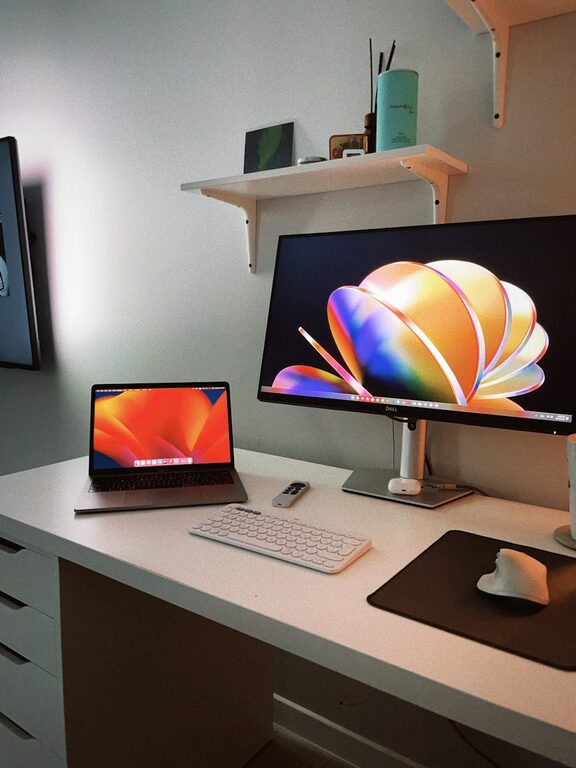
Creating a productive home office space can significantly improve your work-from-home experience. With the right setup and environment, you can boost your focus, comfort, and efficiency. Whether you’re working remotely full-time or occasionally, these tips will help you design a workspace that supports your best work.
Choose the Right Location
Selecting the best spot for your home office is the first step. Ideally, pick a quiet area with minimal distractions where you can concentrate. If possible, use a separate room rather than a corner of a living space. This separation helps mentally distinguish “work” from “home” and can improve productivity.
Consider natural light
Natural light positively affects mood and energy levels. Position your desk near a window if you can, but avoid glare on your computer screen. Use sheer curtains or adjustable blinds to control light effectively.
Invest in Ergonomic Furniture
Comfort is key when you spend hours working at a desk. Ergonomic furniture helps reduce physical strain and supports better posture.
– Desk: Choose a desk with enough space for your computer, documents, and other essentials. Adjustable standing desks are popular since they allow you to alternate between sitting and standing.
– Chair: Invest in a comfortable office chair with adjustable height and good lumbar support. Sitting correctly can prevent back and neck pain.
– Accessories: Consider ergonomic keyboard and mouse options to reduce wrist strain.
Organize Your Workspace Efficiently
Clutter can disrupt focus and productivity. Keeping your workspace tidy and organized makes it easier to find what you need and maintain mental clarity.
– Use drawer organizers or desk trays to store office supplies.
– Keep cables neat with clips or cable organizers.
– Use shelves or filing cabinets to manage papers and documents.
– Implement a routine to clear your desk at the end of each day.
Use Technology to Your Advantage
The right technology can streamline your work and improve efficiency.
– Reliable internet: A strong and fast internet connection is essential for virtual meetings and online tasks.
– Multiple monitors: If your work involves multitasking, additional screens can boost productivity.
– Headphones: Use noise-canceling headphones to minimize distractions, especially if you share your home with others.
– Productivity apps: Utilize apps for task management, note-taking, and time tracking to stay organized.
Personalize Your Space
Adding personal touches can make your home office inviting and motivate you to spend time there.
– Add plants to bring life and improve air quality.
– Decorate with artwork or photos that inspire you.
– Choose colors that help you focus, such as soft blues or greens.
Establish Boundaries and Routines
To maintain productivity, it’s important to create clear boundaries between work and home life.
– Set regular work hours and stick to them.
– Communicate your schedule to others in your home to reduce interruptions.
– Create a morning routine to signal the start of your workday.
– Take regular breaks to stretch and recharge.
Optimize Lighting and Temperature
Appropriate lighting and temperature can affect your comfort and productivity.
– Use a desk lamp with adjustable brightness for focused tasks.
– Aim for a neutral light temperature to keep your eyes comfortable.
– Ensure your workspace has good ventilation.
– Keep the room at a comfortable temperature to avoid distraction.
Minimize Distractions
Design your space to limit interruptions and distractions.
– Use room dividers or screens if you’re sharing space.
– Keep your phone on silent or out of reach during focused work sessions.
– Use noise machines or calming background music if ambient noise is an issue.
—
Creating a home office space that promotes productivity involves thoughtful choices in location, furniture, organization, and personal habits. By applying these tips, you’ll build a workspace that supports your best work every day. Remember, the goal is to create an environment where you feel comfortable, focused, and motivated.